* Estimated delivery times start from the date of shipment, excluding processing time.
* Actual delivery times may vary due to holidays, weather conditions, or customs delays.
Envío estándar gratis en pedidos superiores a $9.9
Política de devolución
Los artículos devueltos serán aceptados dentro de los 40 días posteriores a la recepción de los productos. Los artículos personalizados no se pueden devolver ni cambiar. Los artículos comprados con una tarjeta de regalo electrónica solo son intercambiables; no se aplican reembolsos.
Regalo gratis
Bienvenido a Roymall, tu sitio web profesional para comprar regalos de tiendas departamentales premium. Valoramos y apreciamos mucho tu apoyo, y queremos expresar nuestra gratitud agregando un toque extra de emoción a tus compras. Cuando compras con nosotros, no solo disfrutas de productos de alta calidad que mejoran tu estilo de vida, sino que también recibirás un regalo exclusivo con cada pedido que realices. ¿Listo para explorar nuestra colección y encontrar tus regalos perfectos? Navega por nuestra selección de artículos de tiendas departamentales premium, realiza tu pedido y espera con ansias la emoción de recibir tu regalo gratis junto con tu compra.
Política de envío
Trabajaremos duro para entregarte los artículos después de recibir tus pedidos y asegurarnos de que lleguen de manera segura. Los detalles de entrega se proporcionarán en tu correo de confirmación.En la mayoría de los casos, los pedidos se procesan en 2 días. En circunstancias especiales, se retrasará de la siguiente manera: Cuando realices un pedido el sábado, domingo o días festivos, se retrasará 2 días.Normalmente, se necesitan de 5 a 7 días hábiles (de lunes a viernes) sin verse afectado por retrasos en los vuelos u otros factores ambientales.Debido a que nuestro servicio de envío es mundial, los tiempos de entrega dependerán de tu ubicación, por lo que puede tardar unos días y te pedimos paciencia si estás en distritos o países remotos.
1. Política de devolución y cambio
Solo aceptamos artículos comprados en roymall.com. Si compras a través de nuestros distribuidores locales u otros minoristas, no puedes devolverlos con nosotros.Los artículos de venta final o regalos gratuitos no son aceptables para devolución.Para ser elegible para una devolución, tu artículo debe estar sin usar y en las mismas condiciones en que lo recibiste. También debe estar en su empaque original.Después de recibir las instrucciones de devolución de nuestra parte, por favor empaqueta tus artículos devueltos y deja tu paquete en la oficina de correos local o en otro servicio de mensajería. Procesaremos tu devolución o cambio de artículo en un plazo de 3 a 5 días hábiles después de recibirlo. El reembolso se procesará y acreditará automáticamente en tu método de pago original.No se aceptan devoluciones ni cambios si el producto fue producido a medida, incluido tamaño personalizado, color personalizado o impresión personalizada.¿Necesitas más ayuda? Contáctanos. service@roymall.com o Whatsapp: +447549870296
2. Política de reembolso
Recibirás un reembolso completo o un crédito de tienda del 100% después de que recibamos y verifiquemos el paquete devuelto. El reembolso se procesará y acreditará automáticamente en tu método de pago original.Ten en cuenta que los costos de envío y cualquier impuesto o tarifa no son reembolsables. Los costos de envío adicionales no son reembolsables una vez que el paquete ha sido enviado. Eres responsable de pagar estas tarifas y no podemos exonerarlas ni reembolsarlas, incluso si el pedido nos es devuelto.Una vez que recibamos y confirmemos tu artículo devuelto, te enviaremos un correo electrónico para notificarte que hemos recibido tu artículo devuelto. También te notificaremos la aprobación o el rechazo de tu reembolso.Si tienes algún problema con el proceso de reembolso, contáctanos. service@roymall.com o Whatsapp: +447549870296
Note: Raspberrry Pi is not included. Introduction:
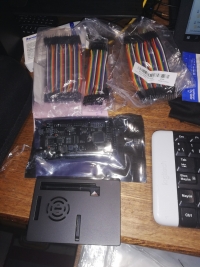
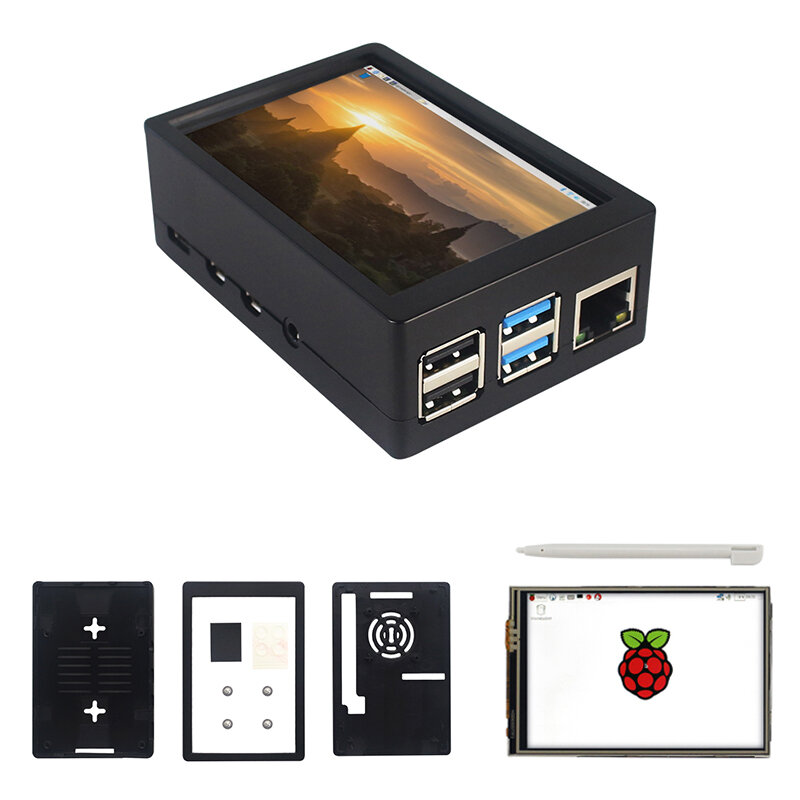
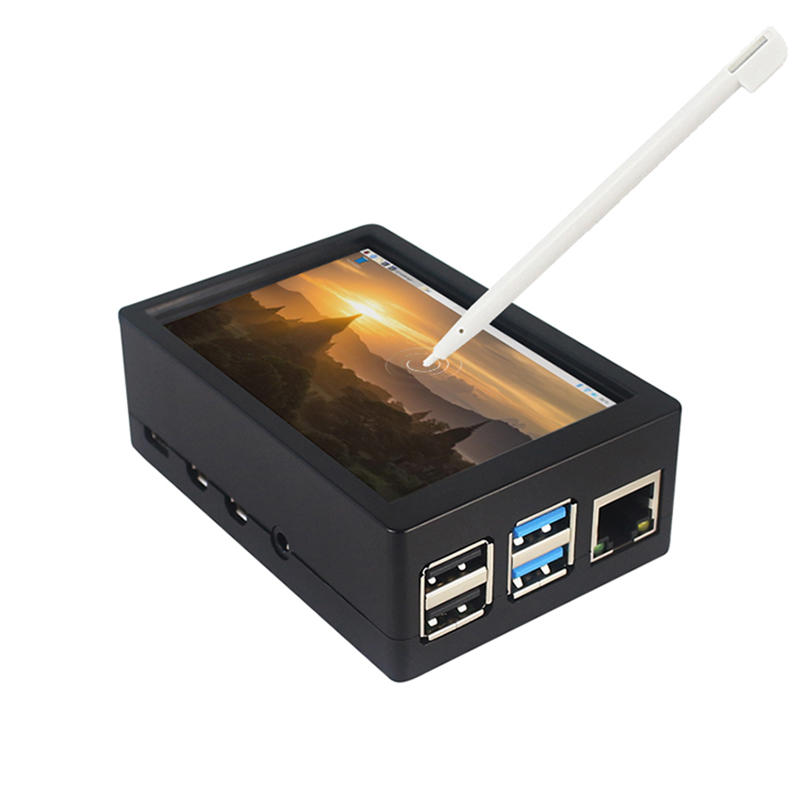
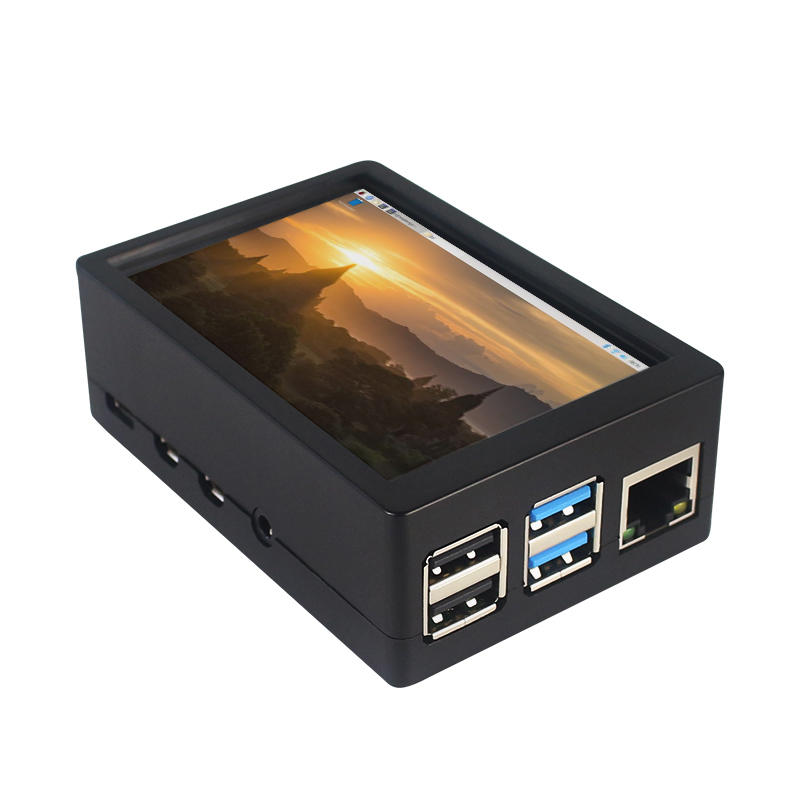
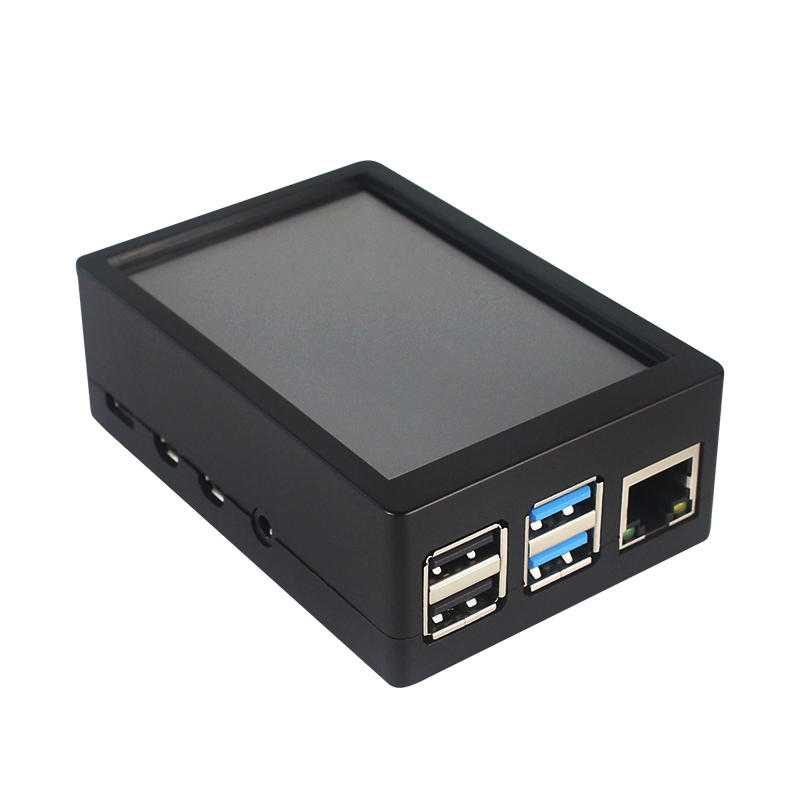
This is the dual use ABS case for 3.5 inch screen kit, suitable for Raspberry Pi 4 Model B.It is esay to install the case with screen and Raspberry Pi.When you use the Raspberry Pi with 3.5inch screen,please remove the cover of case;When you use Raspberry Pi with cooling fan,you needn"t remover the cover of case.
Note:The 3.5inch screen and cooling fan can"t be used at the same time. If Raspberry Pi is equipped with GPIO display drivers,the HDMI port will have no signal output
Specifications:
Colour: Black
Material: ABS plastic
Size: 90*61*35
Applicable to: Raspberry Pi 4B
3.5-inch touch screen or fan that can install Raspberry Pi
Knowing that: 3.5-inch display and fan cannot be installed at the same time due to the PIN pin
3.5inch Touch Screen Features:
1. Physical resolution 320 x 480, with resistive touch control
2. With the refresh rate of raspberry pi around 50Hz, play video to play the game without pressure.
3. With the refresh rate of raspberry pie around 50Hz, play video to play the game without pressure
4. Support FBCP software drive, support double screen display, can adjust the resolution of the software to zoom
5. Raspberry Pi ZeroW, A, A+, B, B+, 2B, 3B, 3B+ , 4B)
6. Support Raspbian/Ubuntu/Kali system, provide driver and image
7. WIKI for reference: raspberrypiwiki.com/index.php/3.5_inch_LCD_B
Note:
Please plug the screen on Raspberry Pi"s GPIO pins correctly( as the picture) , otherwise the touch function will be damaged.
If Raspberry Pi is equipped with GPIO display drivers such as MPI2411, MPI2418, MPI2801, MPI3201, MPI3501, etc., the HDMI port will have no signal output
If you need to switch back to the HDMI display mode, execute:
This LCD can be calibrated using a program called xinput_calibrator
Install it with the commands:
cd LCD-show/sudo dpkg -i -B xinput-calibrator_0.7.5-1_armhf.deb
Click the Men button on the task bar, choose Preference -> Calibrate Touchscreen.
Finish the touch calibration following the prompts. Maybe rebooting is required to make calibration active.
You can create a 99-calibration.conf file to save the touch parameters (not necessary if file exists).
/ect/X11/xorg.conf.d/99-calibration.conf
Save the touch parameters
About Dual Use ABS Case:
1. The Case made of ABS material,support to install 3.5 inch touch screen,and need to remove the cover of case. When you don"t use the 3.5 inch touchscreen , it is a general case with cooling fan.The 3.5inch screen and cooling fan can"t be used at the same time.
2. The case is design for Raspberry Pi 4 Model B , remain almost all interface such as USB , Ethernet , A/V , micro HDMI , SD card slot , display , camera( CSI). (Note: A1 case remain GPIO and POE hole , but A2 case does not remian)
3. Make 2 hole on the bottom so that you can hange the case on the wall or something else . This design is very convenient when using the 3.5 inch touchscreen.
Package Included: 1 x ABS box case 1 x touch screen 1 x touch screen pen
Tips:For questions about your order, place of delivery, product discount, taxation, delivery time, warranty, shipping, payment, exchange rate, and other questions unrelated to the product, please contact customer service.
showing 1-8 of 8|
Show Original
A part of the QA has been auto-translated.
0
Q:
Does this just work after assembling or do you have to use your own chip or soemthing?
Does this just work after assembling or do you have to use your own chip or soemthing?
The last command to type in is ' sudo .LCD35-show ' (with a slash between the dot and the LCD, but BG doesn't let me write it) instead of the one provided
The last command to type in is ' sudo .LCD35-show ' (with a slash between the dot and the LCD, but BG doesn't let me write it) instead of the one provided
Answered by Gwenaël on 17/06/2020Helpful (0)
0
Q:
How to install driver on Raspberry Pi 4b for this display?
How to install driver on Raspberry Pi 4b for this display?
This does not work if you follow the product description... There is a comment where somebody said a waveshare link, the display started to work me, but the quality is wrong, there is less color, you cannot see whats on the screen, and I cannot calibrate the touchscreen to work. (I have an other LCD similar to this, but that was working better.
Its far from 50fps with the waveshare driver. Do anybody knows a better driver? Or it is bad quality?
This does not work if you follow the product description... There is a comment where somebody said a waveshare link, the display started to work me, but the quality is wrong, there is less color, you cannot see whats on the screen, and I cannot calibrate the touchscreen to work. (I have an other LCD similar to this, but that was working better.
Its far from 50fps with the waveshare driver. Do anybody knows a better driver? Or it is bad quality?
Answered by hygyke on 16/09/2020Helpful (0)
Ask a Question
1.You can contact the customer service. for any question regarding the product.
2.Ask the question in English to get answer faster.





 Direct purchase from the factory

![[US DIRECT] ATOMSTACK A5 M50 APP Control Dual-Laser Laser Engraving Cutting Machine Laser Engraver Cutter 5.5W Output Power Fixed-Focus 304 Mirror Stainless Steel Engraving DIY Laser Marking for Metal Wood Leather Vinyl](https://static.roymall.com/d/file/mall/titlepic/235/67803406-41f3-499a-afb7-154990584ff8.jpg?x-oss-process=image/resize,w_237/quality,Q_80/format,webp)

![[EU/US Direct]Raiser for LONGER RAY5 Engraver](https://static.roymall.com/d/file/mall/bigpic/235/65e9b76d-574a-4b4b-9c6c-02db18b89460.jpg?x-oss-process=image/resize,w_237/quality,Q_80/format,webp)
![[US/UK Direct] Refurbished ULTIMEA Nova S70 3.1.2 Soundbar 390W True Dolby Atmos Soundbar BassMax 4K Dolby Vision HDR Passthrough 3EQ Modes Wired Speaker Subwoofer](https://static.roymall.com/d/file/mall/titlepic/235/e1440062-c78c-4565-8aa7-f8857d749771.jpg?x-oss-process=image/resize,w_237/quality,Q_80/format,webp)


 Multi Rotor Parts
 Regalo gratis
 Política de envío
 Política de devolución